How Dental Practices Can Build a Reliable IT Disaster Recovery Plan Before an Emergency
Learn how to build a reliable dental practice disaster recovery plan with secure backups, cybersecurity, proactive IT support, and HIPAA-focused strategies to minimize downtime.
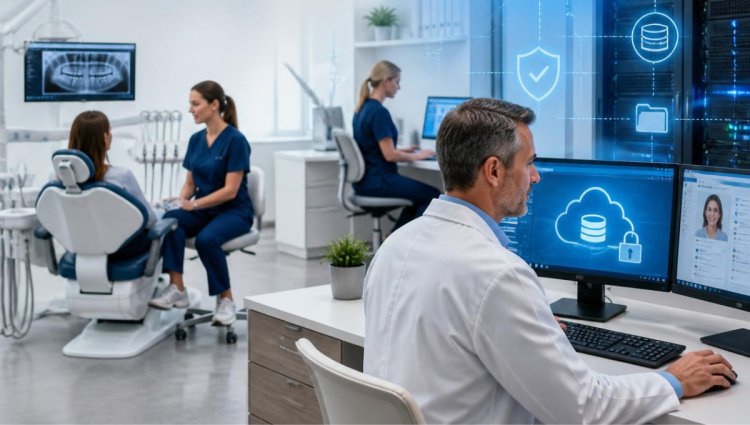
A modern dental practice depends on technology for nearly every part of the patient experience. From scheduling appointments and processing payments to managing digital X-rays, patient records, treatment plans, and communication, your practice cannot afford prolonged technology downtime.
But what happens when something goes wrong?
A server can fail without warning. A workstation may suddenly stop working. A ransomware attack could make critical files inaccessible. Even an unexpected power outage, hardware failure, or accidental deletion can interrupt daily operations.
That is why having a dental practice disaster recovery plan is so important. Instead of trying to figure out what to do after an emergency occurs, dental practices can prepare in advance with reliable dental IT support, secure backups, documented procedures, and professional monitoring.
What Is a Dental IT Disaster Recovery Plan?
A disaster recovery plan is a documented strategy that explains how your dental practice will respond to an IT-related emergency and restore essential technology and data.
The goal is not simply to back up files. A complete dental IT disaster recovery strategy should help your practice:
- Protect critical patient and business information
- Recover data after hardware failure or cyber incidents
- Minimize downtime
- Restore important systems in an organized manner
- Maintain secure access to essential applications
- Support business continuity during unexpected events
For dental offices, this preparation is particularly important because practice management software, imaging systems, servers, workstations, and networks often work together. A problem with one part of the environment can affect multiple areas of the practice.
Why Dental Practices Need Disaster Recovery Planning
Dental offices handle sensitive information every day. Patient records, insurance information, billing data, appointment details, digital images, and other practice information must be protected carefully.
At the same time, a dental practice needs its technology to remain available so staff can continue serving patients efficiently.
Without a recovery plan, even a relatively small IT problem can become a major operational disruption.
For example, imagine that the practice server suddenly fails before the morning schedule begins. If there is no current backup or recovery procedure, staff may not be able to access essential patient information or applications. The result could include delayed appointments, frustrated employees, rescheduling, and lost productivity.
A well-designed IT disaster recovery plan for dental practices provides a clear path forward.
Step 1: Identify Your Most Critical Systems and Data
The first step in developing a recovery plan is understanding what your practice depends on most.
Create an inventory of your critical technology, including:
- Practice management software
- Electronic patient records
- Digital imaging systems
- Servers and network equipment
- Workstations and laptops
- Billing and accounting systems
- Email and communication platforms
- Internet and phone systems
- Patient and treatment data
- Important administrative documents
Not every system has the same recovery priority.
For example, your patient management system may need to be restored before less-critical administrative applications. Establishing these priorities allows your dental IT support provider to focus on restoring the systems that have the greatest impact on patient care and daily operations.
Step 2: Establish a Reliable Dental Data Backup Strategy
Backups are one of the most important components of dental disaster recovery.
However, simply having a backup does not necessarily mean your practice is prepared.
A reliable backup strategy should consider how frequently information is backed up, where backups are stored, how they are protected, and how quickly they can be restored.
Dental practices should consider a combination of local and cloud-based backup solutions when appropriate. Local backups can provide convenient access to recovery copies, while cloud backup can provide additional protection if local equipment is damaged or compromised.
It is also important to regularly verify that backups are working correctly. A backup that has not been tested may not provide the protection your practice expects when an emergency occurs.
LA Dental IT provides local and cloud backup services designed to help dental practices protect critical information and improve recoverability. Its network and backup solutions are designed to support recovery from issues such as hardware failure, accidental deletion, and ransomware.
Step 3: Protect Backups From Cyber Threats
Modern disaster recovery planning should account for cybersecurity.
A cyberattack can potentially affect both production systems and accessible backup resources. For this reason, dental practices should work with their dental IT services provider to make sure backup systems are appropriately protected.
Security measures may include:
- Strong access controls
- Multi-factor authentication where appropriate
- Endpoint protection
- Network security
- Regular software and security updates
- Monitoring for suspicious activity
- Secure backup configurations
- Employee cybersecurity awareness
A recovery strategy should be designed alongside your overall security strategy rather than treated as a completely separate project.
Step 4: Define Recovery Priorities
Ask a simple question:
If our IT systems went down today, what would we need to restore first?
Your answer should become part of your recovery plan.
For many dental practices, high-priority systems may include the server, practice management software, patient records, imaging systems, internet connectivity, and essential workstations.
Establish recovery objectives that determine how quickly important systems should be restored and how much data loss is acceptable.
These decisions help your dental IT support team respond more effectively during an emergency.
Step 5: Create a Clear Emergency Response Process
During an IT emergency, uncertainty can make the situation worse.
Your staff should know who to contact and what steps to take.
Create a simple response document that includes:
- Who should be notified when an IT incident occurs
- Who has authority to make recovery decisions
- How to contact your IT provider
- Which systems should be shut down or disconnected if necessary
- Where emergency documentation is stored
- How employees should communicate during an outage
- What steps should be taken before systems are brought back online
Keep the document accessible even if your primary network or server is unavailable.
A recovery plan is most useful when employees can actually find and follow it.
Step 6: Include HIPAA Considerations
Dental practices must take patient privacy and information security seriously.
A disaster recovery strategy should therefore be developed with HIPAA-compliant IT practices in mind. Your technology environment should include appropriate safeguards for sensitive patient information, along with policies and procedures that support secure handling of data.
Disaster recovery is not simply about getting computers running again. The recovery process should also consider the security and privacy of patient information.
LA Dental IT provides HIPAA and PCI compliance support, along with secure communications and other IT services designed for dental practices.
Step 7: Test Your Disaster Recovery Plan
One of the most overlooked parts of disaster recovery planning is testing.
A plan may look perfect on paper but still have problems when it is actually needed.
Regular testing can help identify issues such as:
- Missing backup files
- Outdated recovery procedures
- Incorrect user permissions
- Software compatibility problems
- Hardware limitations
- Unclear employee responsibilities
- Slow recovery times
Testing also gives your team an opportunity to become familiar with the recovery process before a real emergency occurs.
Your dental IT company can help evaluate the recovery environment and identify areas that need improvement.
Step 8: Use Proactive IT Monitoring and Maintenance
Disaster recovery should not begin only after something breaks.
Proactive maintenance can help identify potential problems before they become major disruptions.
For example, regular monitoring may help detect unusual system activity, hardware problems, storage issues, or other warning signs.
Routine maintenance can also help ensure that systems remain updated and that backups, security tools, and critical infrastructure continue functioning properly.
LA Dental IT offers 24/7 server monitoring, endpoint protection, and quarterly preventive IT maintenance to help dental practices maintain reliable technology environments.
Step 9: Train Your Dental Team
Technology is only one part of disaster recovery. Your employees also play an important role.
Staff should understand basic procedures for responding to technology incidents. Training can cover:
- Recognizing suspicious emails
- Avoiding unsafe links and attachments
- Reporting unusual computer behavior
- Protecting passwords and credentials
- Following backup and recovery procedures
- Knowing who to contact during an IT emergency
Simple, consistent training can help reduce preventable incidents and improve your practice's overall security posture.
Step 10: Review and Update the Plan Regularly
Your dental practice will change over time.
You may add new computers, upgrade your server, introduce new imaging equipment, change software, move offices, or expand to additional locations.
Your dental practice IT support and disaster recovery plan should evolve with those changes.
Review your plan periodically and update:
- Hardware inventories
- Software information
- Backup procedures
- Recovery priorities
- Vendor contact information
- Employee responsibilities
- Security procedures
- Emergency contact details
A disaster recovery plan should be a living document—not something created once and forgotten.
How LA Dental IT Can Help Your Practice Prepare
Building a dependable disaster recovery strategy can be challenging when your team is already focused on patient care and daily operations.
That is where specialized dental IT services can make a difference.
LA Dental IT provides IT solutions specifically tailored to dental practices in Southern California, including 24/7 system monitoring, local and cloud backup, endpoint protection, HIPAA and PCI compliance support, preventive maintenance, networking, software support, and IT troubleshooting.
The company is located at 21800 W Oxnard St #745, Woodland Hills, CA 91367 and can be reached at (888) 978-9889.
For practices looking to strengthen their recovery capabilities, professional dental IT support in Los Angeles can provide the expertise and ongoing management needed to create a more resilient technology environment.
Final Thoughts
Technology downtime can be stressful for any dental practice, but preparation can make a significant difference.
A strong dental IT disaster recovery plan combines reliable dental data backup, cybersecurity, proactive monitoring, clear recovery procedures, employee training, and regular testing.
Most importantly, don't wait for a server failure, cyberattack, or unexpected outage to determine whether your practice is prepared.
By planning ahead and working with an experienced dental IT support company, you can improve your practice's ability to recover quickly, protect sensitive information, and keep your team focused on what matters most—providing excellent patient care.
Frequently Asked Questions
1. What is disaster recovery for a dental practice?
Dental practice disaster recovery is a plan for protecting and restoring critical technology, systems, and data after an unexpected event such as hardware failure, ransomware, accidental deletion, or another IT disruption.
2. Why are backups important for dental offices?
Dental data backups provide recovery copies of important practice information. If data becomes unavailable because of hardware failure, accidental deletion, or a cyber incident, reliable backups can help the practice restore critical information.
3. How often should a dental practice test its disaster recovery plan?
The appropriate schedule depends on the practice's systems and risk profile. However, recovery procedures should be tested regularly rather than only during an actual emergency. Testing can reveal problems with backups, recovery procedures, access permissions, and system compatibility.
4. Is disaster recovery part of HIPAA compliance?
Disaster recovery and data protection are important components of a dental practice's overall approach to protecting electronic protected health information. Practices should work with qualified professionals to evaluate their specific HIPAA obligations and technical safeguards.
5. How can a dental IT company help with disaster recovery?
A specialized dental IT company can assess your technology environment, implement backup and security solutions, monitor systems, help establish recovery procedures, test backups, and provide technical assistance when an incident occurs. LA Dental IT offers dental-focused IT services including backup, monitoring, security, preventive maintenance, and HIPAA/PCI compliance support.
LA Dental IT
Phone: (888) 978-9889
Email: info@ladentalit.com
What's Your Reaction?