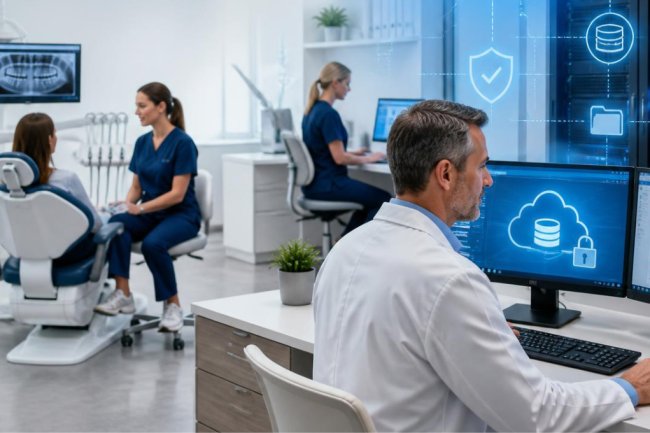
Dental IT Support: Complete Guide for Dental Practices in 2026
Looking for reliable dental IT support? Discover how dental practices can improve cybersecurity, HIPAA compliance, backups, software performance, and uptime in 2026.
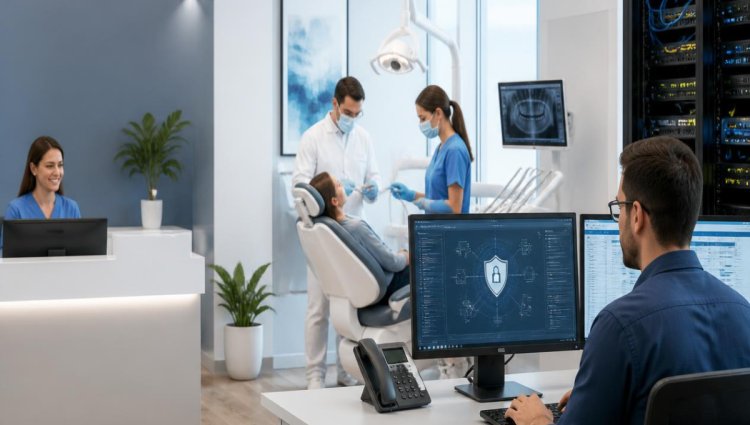
Technology has become the backbone of a modern dental practice. From patient scheduling and digital X-rays to practice management software, billing, email, data backups, and electronic patient records, almost every part of a dental office now depends on technology.
When that technology works, your team can focus on patients. When it doesn't, even a small IT problem can disrupt appointments, slow down staff, affect access to patient information, and create unnecessary stress.
That is why professional dental IT support has become increasingly important for practices in 2026.
Unlike general IT services, dental IT support focuses on the technology, security, software, compliance requirements, and day-to-day challenges found specifically in dental environments. Whether you run a small practice or a growing multi-location dental organization, having the right IT strategy can help keep your systems secure, reliable, and ready for your team.
In this guide, we'll explain what dental IT support includes, why it matters, and what to look for when choosing an IT partner for your dental practice.
What Is Dental IT Support?
Dental IT support is specialized technology support designed around the needs of dental practices.
A dental office doesn't use technology in quite the same way as a typical small business. Your team may depend on practice management software, imaging applications, workstations in operatories, front-desk computers, servers, printers, scanners, secure networks, backup systems, and other connected devices throughout the day.
A specialized dental IT company helps manage this technology as one connected environment.
Depending on the practice, IT support for dental offices can include:
-
Remote and on-site technical support
-
Computer and server management
-
Dental software support
-
Network monitoring and maintenance
-
Cybersecurity and endpoint protection
-
HIPAA and PCI compliance support
-
Local and cloud data backup
-
Disaster recovery planning
-
Software installation and updates
-
Network and Wi-Fi management
-
Troubleshooting and preventive maintenance
The goal isn't simply to repair computers. Good dental IT support helps prevent technology problems from interfering with patient care and daily operations.
Why Do Dental Practices Need Specialized IT Support?
Think about how many times your team interacts with technology during a normal workday.
The front desk schedules appointments. Clinical staff access patient information. Dentists review digital images. Insurance claims and billing depend on software. Employees communicate electronically. Patient information may be stored on servers, workstations, or approved cloud platforms.
One server, network, security, or software problem can affect several of those activities at once.
Specialized dental office IT support takes these dependencies into account. Instead of waiting for something to break, a proactive IT provider can monitor systems, maintain infrastructure, strengthen security, manage backups, and identify potential issues before they become larger disruptions.
1. Reduce Downtime With Proactive IT Monitoring
Unexpected downtime is frustrating in any business, but it can be particularly disruptive in a busy dental office.
Imagine arriving in the morning and discovering that staff cannot connect to the server or access an important application. Appointments are already scheduled, patients are arriving, and suddenly your team has to work around a technology failure.
A proactive dental IT support company can help reduce this risk through server monitoring, preventive maintenance, software updates, network management, and routine system checks.
The objective is simple: find warning signs early and address problems before they turn into an office-wide interruption.
For practices that rely heavily on their technology, prevention is usually much better than emergency troubleshooting.
2. Strengthen Dental Cybersecurity
Dental practices handle valuable and sensitive information, which makes cybersecurity an essential part of modern IT management.
Strong dental cybersecurity involves more than installing basic antivirus software. Practices should think about security across computers, servers, user accounts, networks, email, backups, and employee access.
An effective security strategy may include:
-
Business-class endpoint protection
-
Secure network configurations
-
Regular security updates and patching
-
Access controls
-
Strong password policies
-
Multi-factor authentication where appropriate
-
Secure backups
-
Employee security awareness
-
System monitoring
-
Incident response planning
Cybersecurity should also evolve as threats change. A security setup that was adequate several years ago may no longer provide the level of protection a practice needs today.
3. Support HIPAA Compliance and Patient Data Protection
HIPAA compliance is another major reason dental practices need knowledgeable IT support.
The HIPAA Security Rule establishes safeguards for electronic protected health information (ePHI). Dental practices subject to HIPAA need to consider how patient information is accessed, transmitted, stored, backed up, and protected.
Technology is only one component of HIPAA compliance, but it plays an important role.
A provider of HIPAA-compliant IT services for dental practices can help a practice evaluate areas such as:
-
Access to patient information
-
Workstation and device security
-
Network protection
-
Backup and recovery
-
Authentication
-
Security monitoring
-
Risk assessments
-
Technical safeguards
-
Security policies and procedures
Importantly, no IT provider should treat HIPAA compliance as a one-time checkbox. Security risks, technology, employees, software, and practice operations change over time, so safeguards should be reviewed regularly.
4. Protect Your Practice With Reliable Data Backup
What would happen if your dental practice suddenly lost access to critical data?
Hardware failure, ransomware, accidental deletion, software problems, or other incidents can create serious operational issues when reliable backups aren't available.
That's why dental data backup should be a core part of an IT strategy.
A strong backup approach should consider both data protection and recovery. Simply having a backup isn't enough. Your practice needs to know whether important data is being backed up correctly and whether it can actually be restored when needed.
Depending on the environment, a dental practice may benefit from a combination of secure local and cloud backup solutions.
Backups should also be monitored and tested. Discovering that a backup failed only after data has been lost is far too late.
5. Get Support for Dental Practice Software
Dental practices often rely on specialized applications for scheduling, billing, imaging, patient management, and other essential workflows.
When one application doesn't communicate properly with another system—or a software update creates a compatibility problem—productivity can quickly suffer.
Specialized IT support for dental practices can help with software installation, configuration, troubleshooting, updates, licensing, compatibility, and integration.
An experienced IT team can also coordinate technology changes so that upgrades are planned carefully instead of being introduced in the middle of a busy clinical schedule.
6. Keep Computers, Servers, and Networks Running Smoothly
Slow computers and unreliable networks might seem like minor annoyances, but multiply those delays across several employees and hundreds of daily tasks and they can become a real productivity problem.
Professional dental IT services can help maintain the infrastructure supporting your practice, including:
-
Servers
-
Desktop computers
-
Laptops
-
Network equipment
-
Wi-Fi
-
Printers and scanners
-
Software
-
Backup systems
Preventive maintenance can also help identify aging hardware, storage limitations, security vulnerabilities, and performance issues before they create larger problems.
7. Prepare for IT Emergencies and Disaster Recovery
No technology environment is completely immune to failure.
A server can fail. A device can malfunction. Data can become inaccessible. A cyber incident can disrupt normal operations.
The important question is: How quickly can your dental practice recover?
A dental office disaster recovery plan should identify critical systems, backup procedures, recovery priorities, responsibilities, and steps for restoring operations.
This is where professional dental IT support becomes particularly valuable. Instead of figuring everything out during an emergency, your practice already has a documented plan and a technical team that understands your environment.
How to Choose the Right Dental IT Support Company
Not every IT provider understands the unique requirements of dentistry.
When evaluating managed IT services for dental practices, look beyond basic computer repair.
Ask prospective providers about their experience with dental environments, response procedures, cybersecurity approach, backup solutions, monitoring capabilities, HIPAA knowledge, software support, and preventive maintenance.
You should also ask:
-
Do you provide both remote and on-site support?
-
Do you proactively monitor servers and systems?
-
How do you approach dental cybersecurity?
-
Can you assist with HIPAA security requirements?
-
How are backups monitored and tested?
-
Do you support specialized dental software?
-
What happens when we have an urgent IT problem?
-
How do you help prevent recurring technical issues?
The right provider should understand that your technology isn't separate from your practice—it supports almost everything your team does.
Dental IT Support From LA Dental IT
For dental practices in Los Angeles and Southern California, LA Dental IT provides specialized technology solutions designed specifically for dental environments.
Services include unlimited remote and on-site IT support, 24/7 server monitoring, business-class endpoint protection (EPP and EDR), HIPAA and PCI compliance assistance, quarterly preventive maintenance, and local and cloud backup solutions.
LA Dental IT also supports the specialized software dental practices depend on, helping with installation, configuration, updates, troubleshooting, compatibility, licensing, and integration.
Rather than simply reacting when something breaks, the goal is to create a secure, reliable, and well-maintained IT environment that helps your team stay productive and focused on patients.
Final Thoughts
Technology should make running your dental practice easier—not become another problem your team has to manage.
In 2026, effective dental IT support means much more than fixing computers. It means protecting patient information, reducing downtime, supporting dental software, maintaining networks and servers, strengthening cybersecurity, preparing for unexpected disruptions, and helping your practice manage technology more confidently.
A proactive approach can help identify problems earlier and give your team dependable access to the systems they need every day.
If your practice is dealing with recurring IT issues, aging technology, cybersecurity concerns, backup questions, or HIPAA-related technology challenges, working with an IT provider that understands dentistry can make a meaningful difference.
Frequently Asked Questions About Dental IT Support
1. What is dental IT support?
Dental IT support is specialized technology assistance for dental practices. It can include computer and server support, network management, dental software troubleshooting, cybersecurity, backups, monitoring, HIPAA-related technical safeguards, and preventive maintenance.
2. Why does a dental office need specialized IT support?
Dental offices use specialized software, digital imaging, patient records, servers, workstations, networks, and other connected systems. A provider experienced with dental technology can better understand how these systems interact and how an IT issue may affect clinical and administrative workflows.
3. Can dental IT support help with HIPAA compliance?
A qualified dental IT provider can assist with the technical side of HIPAA compliance, including security controls, access management, backups, risk assessments, network protection, and other safeguards. However, HIPAA compliance involves administrative, physical, and technical requirements, so IT services should be considered part of a broader compliance program.
4. What should a dental practice look for in an IT support company?
Look for dental-industry experience, proactive monitoring, cybersecurity expertise, backup and disaster recovery capabilities, responsive remote and on-site support, knowledge of HIPAA requirements, and experience supporting dental software and networks.
5. How can dental IT support reduce downtime?
Proactive dental IT support can monitor servers, maintain networks, install important updates, manage backups, troubleshoot software, and identify potential problems before they cause larger disruptions. When an issue does occur, having an IT team familiar with your systems can also make troubleshooting more efficient.
Need Dental IT Support for Your Practice?
LA Dental IT provides specialized IT solutions for dental practices throughout Los Angeles and Southern California. From day-to-day technical support and server monitoring to cybersecurity, HIPAA compliance assistance, preventive maintenance, software support, and secure backup solutions, our team is here to help keep your dental technology running smoothly.
LA Dental IT
Phone: 888-978-9889
Email: info@ladentalit.com
Website: www.ladentalit.com
Service Area: Los Angeles & Southern California
Contact LA Dental IT to discuss your practice's IT needs and build a more secure, reliable technology environment.
What's Your Reaction?